I recently tried n8n for the first time. In this article, I share my first impressions after building a workflow with it in a few hours.
What I built
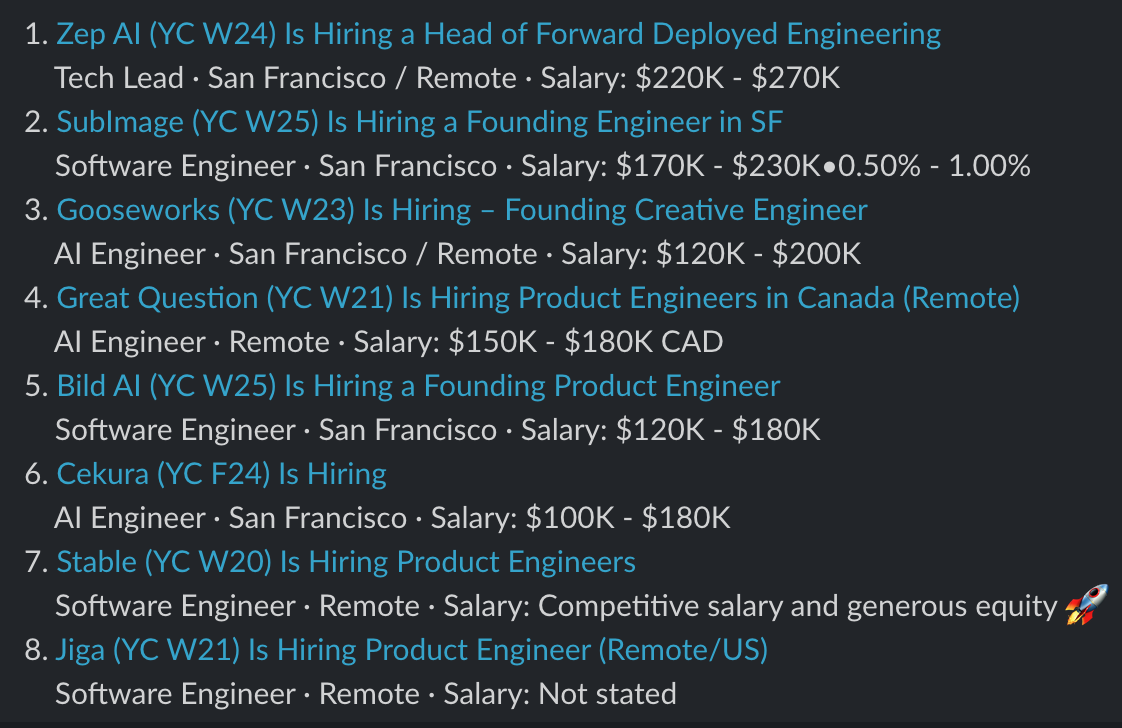
The idea was simple. Read the Hacker News jobs feed, find certain roles (e.g. software engineer) in a given location (San Francisco) or remote, rank them by salary and post a digest to Slack. I built it in three versions, each taking less than an hour.
This is what the digest looks like:
Useful within an hour
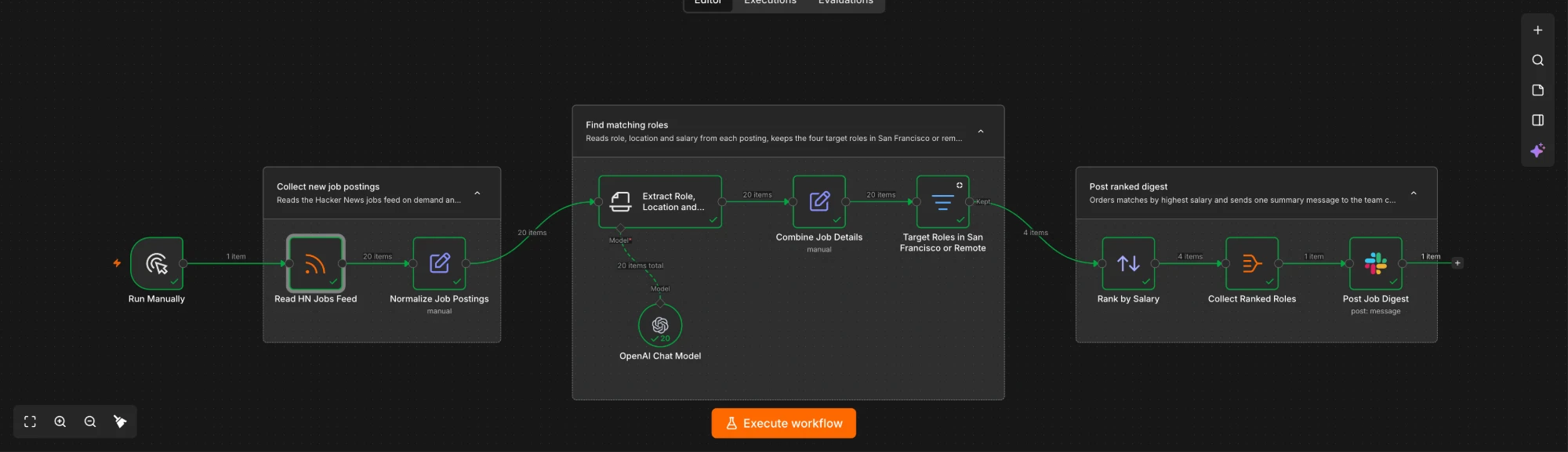
The first version reads the feed, uses an OpenAI model to extract the role, location and salary from each posting, filters for the target roles and posts a ranked digest to Slack. Out of 20 postings, it found 4 matches.
I didn’t read any docs, I didn’t set up any infrastructure and I didn’t write any code. Instead, I used agent mode, n8n’s AI assistant that builds workflows from a description.
Iterating on the workflow
From there, I kept iterating. Each time, I described what I wanted, agent mode added the nodes and connected them, and I tweaked things by hand.
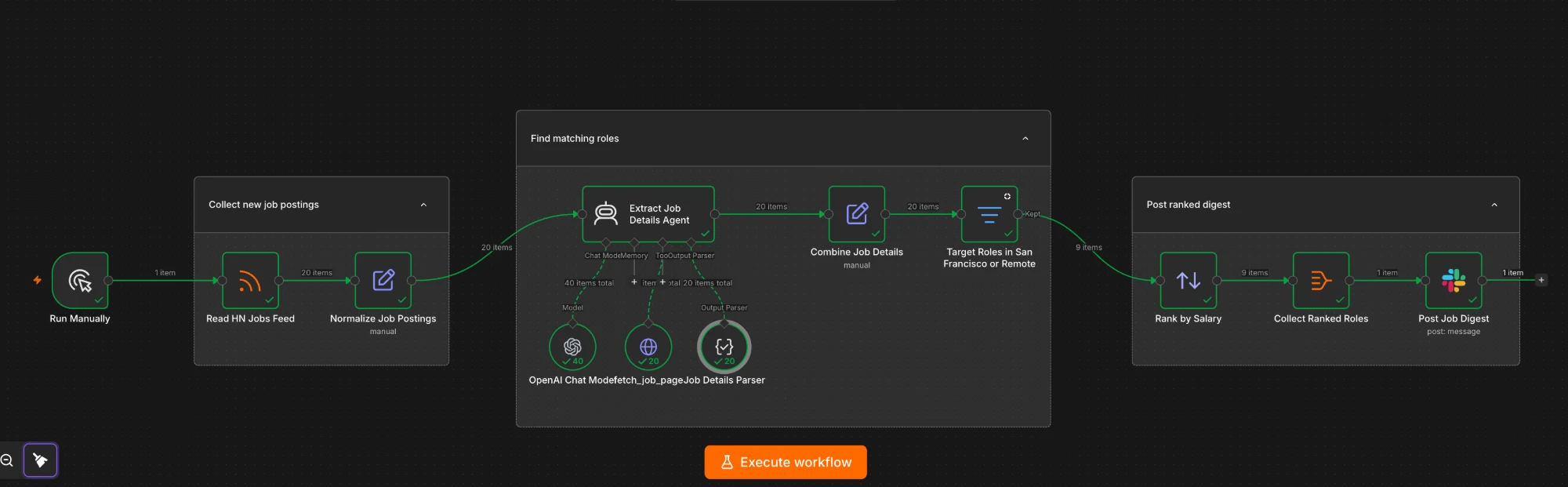
In the second version, I asked it to turn the extraction step into an agent with a tool that can fetch the job page. A lot of postings had missing data, so being able to read the job ad resulted in better data. It also found 9 matches instead of 4.

In the third version, I added a human in the loop. After the digest is posted, Slack asks me which roles I want to save and the chosen roles are upserted into a saved_jobs table.
Free trial
Everything I built fit within the 14-day free trial, which came with 800 credits for the n8n assistant and $2 of gateway credit for the AI steps in the workflow. Building the three versions used almost all of the 800 assistant credits. Running the workflow about 20 times only used $0.49 of the gateway credit.
The assistant credits are the real limit. Three short build sessions nearly used them up, so I wouldn’t have been able to build much more without upgrading.
Next steps
There are a few things that could improve the workflow:
- A cron job: At the moment I run the workflow manually. A schedule trigger would mean the digest arrives every morning without me thinking about it.
- Keep track of what has already been sent: At the moment the same postings appear in every digest.
- Normalise salaries and currencies before ranking: Some postings only say “competitive salary”, some include equity and some are in a different currency (e.g. CAD), so the ranking is only roughly right.
- Do something with saved jobs: Right now the saved jobs just sit in a table. I could add another step where an agent looks up more details about each company (e.g. tech stack, funding and financial health).
Final thoughts
I went from nothing to a workflow that was useful in a few hours. Agent mode did most of the building and everything just about fit within the free trial. If you have a repetitive task that involves a few different services, I would recommend giving n8n a try.
Disclaimer: Parts of this article were drafted with the help of an AI assistant. The workflow, the experience and the opinions are my own.